
Download Windows Media Encoder Studio Edition – video converter, WMV, Windows Media Encoder, media encoding, video encoding tool, video conversion, video processing, video tool, media conversion, encoding software, video utility
Overview
Windows Media Encoder Studio Edition is a dedicated video conversion tool developed by Microsoft, designed specifically to convert a wide range of video files into the Windows Media Video (WMV) format. Its primary purpose is to deliver high-quality, efficient encoding for users who rely on WMV as their preferred video format. This application addresses the need for reliable and optimized video processing, particularly in environments where compatibility with older Windows systems or legacy media players is essential. The tool is ideal for content creators, digital archivists, and professionals working within Microsoft-centric ecosystems who require consistent output in a standardized format.
Although the app is labeled as a beta version, it demonstrates advanced processing techniques aimed at preserving video fidelity while minimizing encoding time and resource usage. The target audience includes users who prioritize WMV compatibility over format versatility, such as those preparing media for internal distribution, educational platforms, or archival storage. While the developer did not provide additional technical details about the encoding algorithms, the application’s focus on a single output format suggests a streamlined optimization strategy.
Real-world use cases include converting high-resolution footage from digital cameras or camcorders into WMV for playback on older Windows systems or integration into corporate training modules. In the broader app ecosystem, Windows Media Encoder Studio Edition serves as a niche but functional utility, filling a specific gap in the video processing landscape. Despite the rise of multi-format converters, its continued relevance lies in its specialized role for WMV-centric workflows.
Key Features & Functionality
- WMV Format Conversion: The core function of the application is converting video files exclusively into the WMV format. This singular focus enables the encoder to optimize performance and output quality for this specific container, ensuring compatibility with a wide range of Windows-based systems and media players.
- Multiple Audio Streams Support: Users can include and manage multiple audio tracks during the encoding process. This feature is beneficial for projects requiring commentary, subtitles, or alternate language tracks, allowing for layered audio integration without requiring external tools.
- Advanced Processing Techniques: The application employs modern video processing technologies to enhance encoding efficiency. These techniques aim to reduce file size without compromising visual quality, making it suitable for bandwidth-sensitive environments or storage-constrained devices.
- User-Friendly Interface: Designed with accessibility in mind, the interface allows users to select input files, configure settings, and initiate encoding with minimal technical knowledge. This simplicity makes it approachable for beginners while still offering sufficient control for intermediate users.
- Beta Version Development Path: As a beta release, the application is open to feedback and iterative improvements. Future updates may expand functionality, enhance stability, or introduce new features based on user input, signaling a potential evolution beyond its current scope.
For example, a university lecturer could use the tool to convert lecture recordings into WMV for inclusion in a learning management system, adding a secondary audio track for narration. Similarly, a media technician might use it to standardize video assets for internal distribution across a network that relies on legacy playback systems.
Interface, UX & Performance
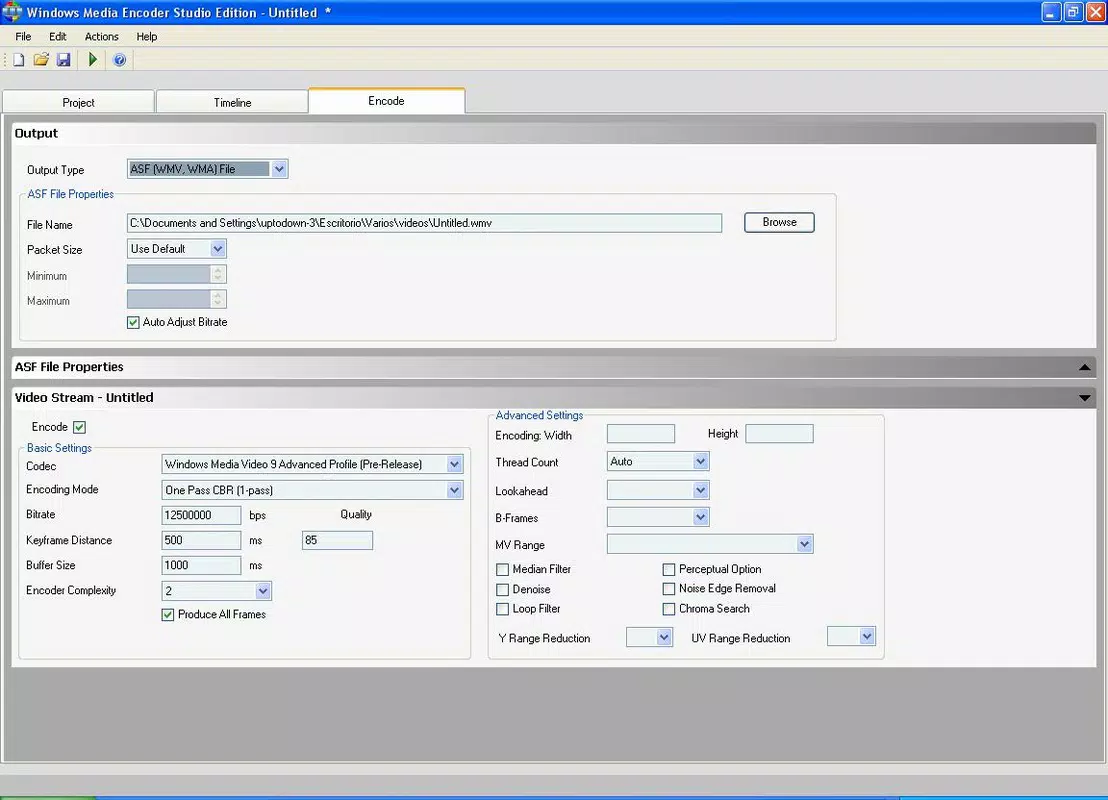
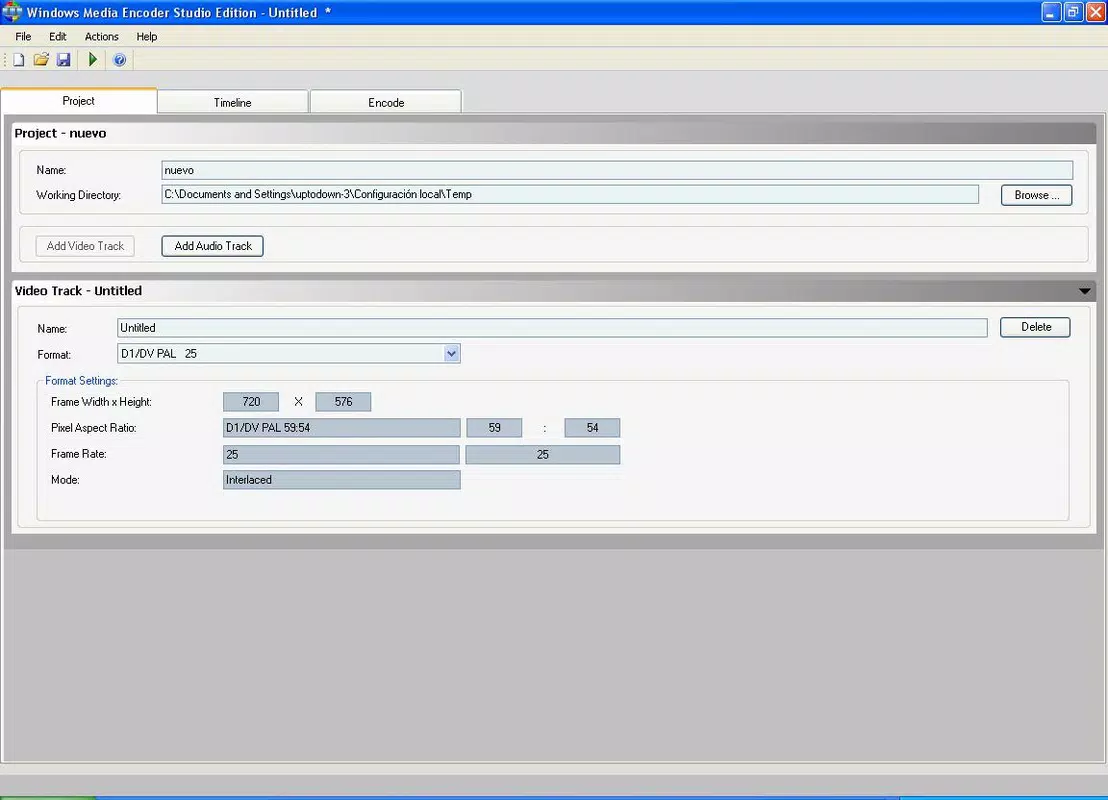
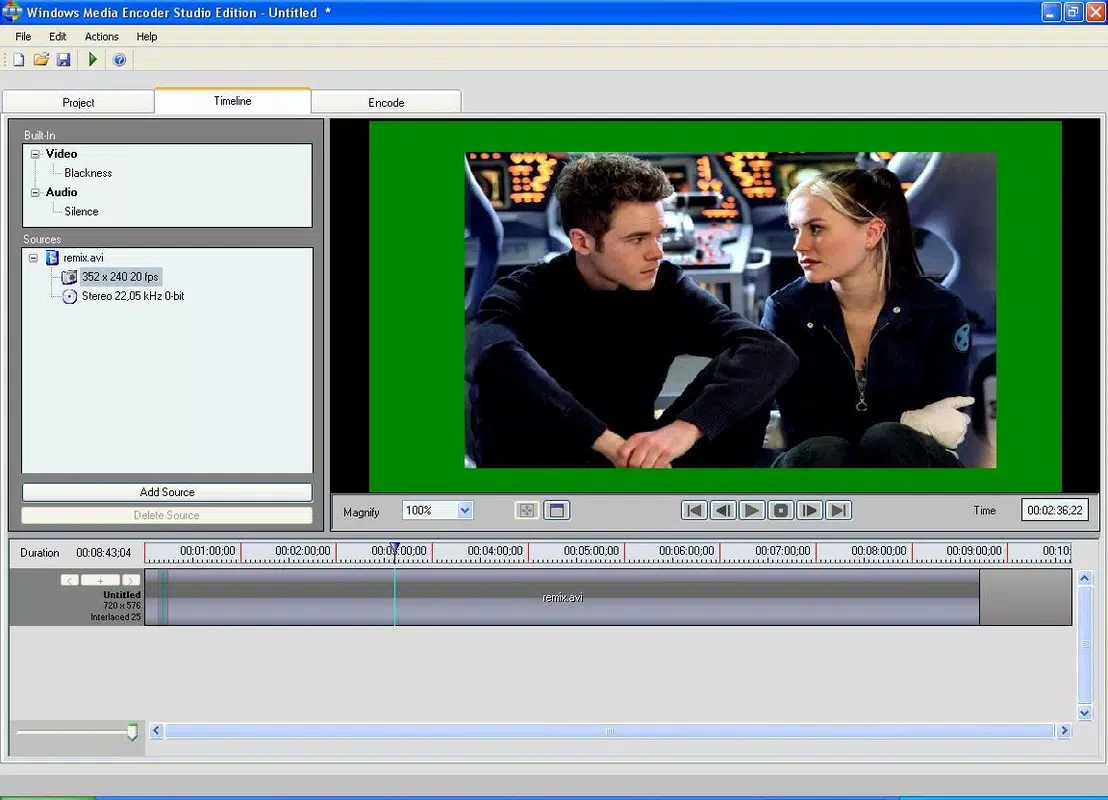
The user interface of Windows Media Encoder Studio Edition is designed to prioritize clarity and ease of use. Navigation is straightforward, with clearly labeled sections for file selection, encoding settings, and output configuration. The layout avoids clutter, allowing users to focus on essential tasks without distraction. Visual feedback during the encoding process is minimal but functional, with progress indicators and status messages to track conversion status.
Although the developer did not list formal performance metrics, the application appears optimized for consistent performance across different device categories, including desktops and laptops running compatible Windows versions. Responsiveness is maintained during file loading and encoding, with no reported delays in user input handling. Stability is expected to improve with future updates, particularly given its beta status.
Users can expect smooth operation when processing standard-definition or high-definition video files, though performance may vary depending on system specifications. The tool does not consume excessive memory or CPU during encoding, suggesting efficient resource management. Overall, the UX reflects a mature design philosophy, balancing simplicity with functionality for a targeted user base.
Platform Compatibility & Technical Requirements
Windows Media Encoder Studio Edition is designed for the Windows platform and requires a compatible version of the Windows operating system. The application is available in a file size of 14.5 MB, making it lightweight and suitable for installation on systems with limited storage. The software version is 1.0.0, and it is currently offered free of charge.
The developer did not specify minimum OS requirements or detailed hardware specifications. Compatibility information was not fully disclosed, so users should ensure their system meets general Windows compatibility standards. The application is not available for mobile platforms such as Android or iOS, as it is a desktop-focused utility.
Given its release date of July 17, 2006, the app is a legacy tool, and support may be limited on newer Windows versions. Users on modern systems should test compatibility before relying on it for critical workflows.
Pros and Cons
Pros
- Specialized focus on high-quality WMV encoding
- Supports multiple audio streams for enhanced content flexibility
- Lightweight file size at 14.5 MB
- Free to download and use
- User-friendly interface suitable for beginners
- Optimized for performance with advanced processing techniques
Cons
- Only supports output in the WMV format, limiting versatility
- Legacy software with potential compatibility issues on modern Windows systems
- Developer did not provide detailed system requirements
- Available only on Windows, not on mobile or macOS
- Current version is a beta, indicating potential instability
FAQ
Is Windows Media Encoder Studio Edition safe to download and install?
The application is developed by Microsoft, a trusted software provider, and is available for free. As with any legacy software, users should ensure their system is protected with updated antivirus software before installation.
Can I convert videos to formats other than WMV?
No, the application is designed exclusively for converting video files into the WMV format. It does not support output in other formats such as MP4, AVI, or MOV.
Is the app compatible with Windows 10 and Windows 11?
Compatibility information was not fully disclosed. While the app was released in 2006, it may function on newer Windows versions, but users should test it in a controlled environment before relying on it for critical tasks.
Are there regular updates for this tool?
As a beta version, the application may receive updates based on user feedback. However, no information was provided about the update frequency or development roadmap.
Can I use this tool on a mobile device?
No, the application is designed for the Windows desktop platform and is not available for Android or iOS devices.
Final Thoughts
Windows Media Encoder Studio Edition remains a niche but valuable tool for users whose workflows are centered around the WMV format. Its focus on optimized encoding, support for multiple audio tracks, and accessible interface make it a practical choice for specific use cases, particularly in legacy or internal distribution environments. While its lack of format versatility and beta status present limitations, its lightweight design and free availability enhance its appeal.
For professionals and enthusiasts who require consistent, high-quality WMV output, this application offers a reliable solution. Despite its age, it continues to serve a distinct role in the video processing ecosystem. However, users should be cautious about compatibility with modern systems and consider alternative tools if broader format support is needed.
Download Windows Media Encoder Studio Edition now


